
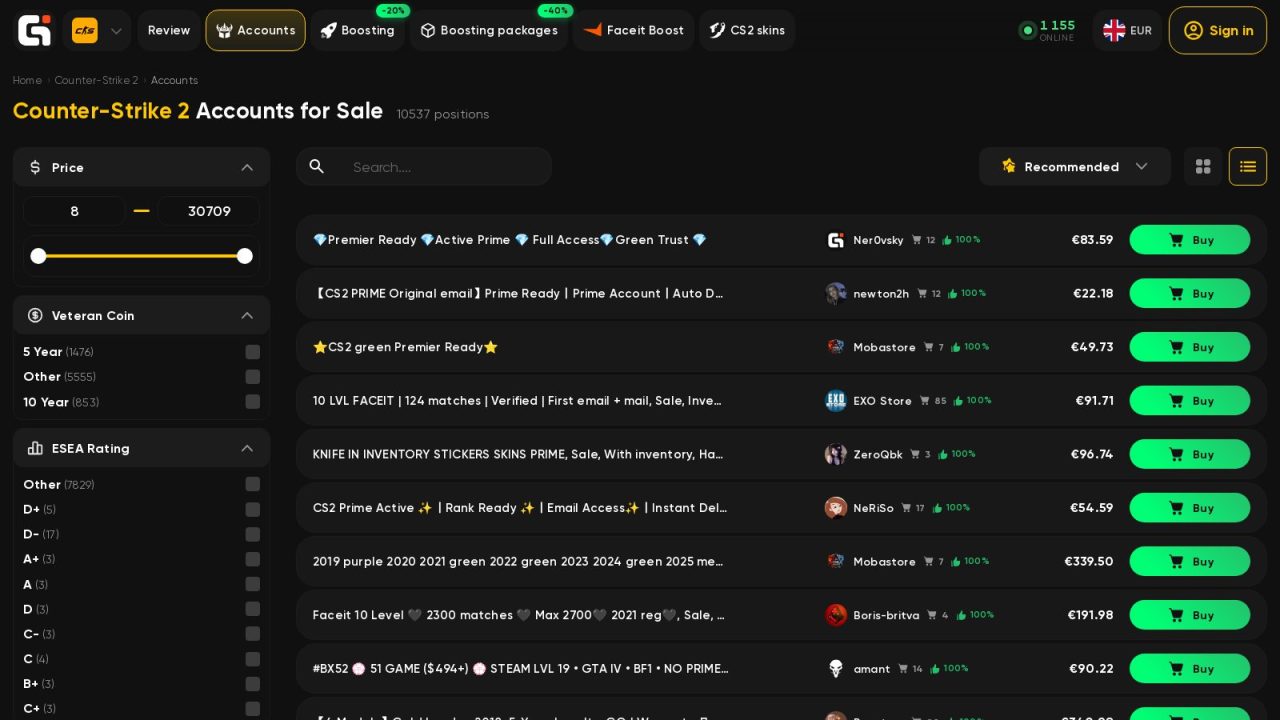
People buy Counter-Strike 2 accounts for ordinary reasons. Some want Prime and Premier without the wait, some want a second account with an old service medal, some want a clean profile for FACEIT. The market is big: a single marketplace lists more than ten thousand CS2 accounts. Most of these deals go fine. The ones that go wrong tend to fail in the same few places, and nearly all of them can be checked before any money changes hands.
Start with the uncomfortable part. Steam’s Subscriber Agreement does not allow accounts to be sold or transferred, so Valve will not help you if a deal goes bad, and no seller can honestly promise otherwise. What you can do is cut the risk down to a level where the purchase makes sense.
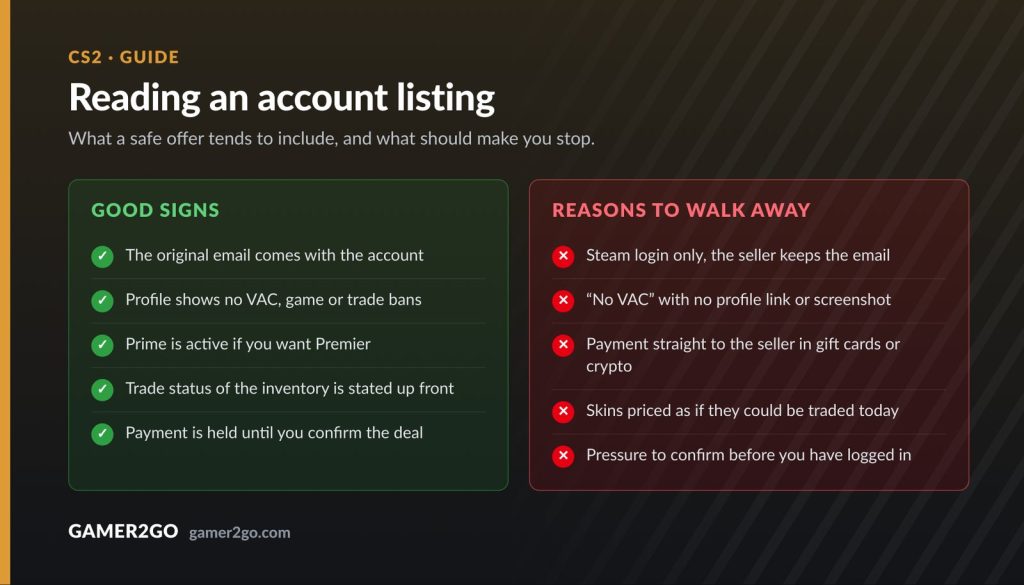
Who controls the email
The most common way to lose a bought account is a recovery. The original owner writes to Steam Support, proves the account was theirs with the first email address, an old receipt or the card used to buy a game, and Steam hands it back. It can happen a week after the sale or a year after it.
That is why listings advertise an “original email” or “first email”. An account sold together with the mailbox it was registered on is far harder to pull back than one where you get a Steam login and the seller keeps the email. If the mailbox is not included, ask why, and price that in.
Bans you can see before you pay
A Steam profile shows VAC bans, game bans and trade bans to anyone who opens it. A VAC ban is permanent and locks the account out of secure servers, so “No VAC” in a title is worth checking against the profile itself or a fresh screenshot. Look for trade bans as well: an account that cannot trade is worth much less if you are paying for its skins.
Prime, Premier and CS Rating
Premier, the mode with the public CS Rating, needs Prime status, which costs $14.99 on Steam. A cheap account without Prime is not a bargain if Premier is what you came for. “Premier ready” in a listing should mean that Prime is active and the account can queue. If the account already carries a high CS Rating, remember that the number will follow your results from now on, not the seller’s.
Skins and trade holds
If the inventory is part of the price, ask whether it can trade right now. Steam puts temporary trade and Market holds on an account after security changes such as a password reset or a new Steam Guard authenticator, and some listings arrive with a trade lock already in place. That is normal, but you cannot sell a skin the day you buy the account, so do not pay as if you could.
FACEIT is a separate account
A FACEIT level in the title belongs to another platform with its own rules. FACEIT bans smurfs and does not allow account sharing, and a “verified” profile is verified in somebody else’s name.
How the money should move
Never pay a stranger directly in gift cards, crypto or a bank transfer. Once the money has gone, nothing stands between you and the seller. Use a marketplace that holds the payment until you have logged in and checked the account.
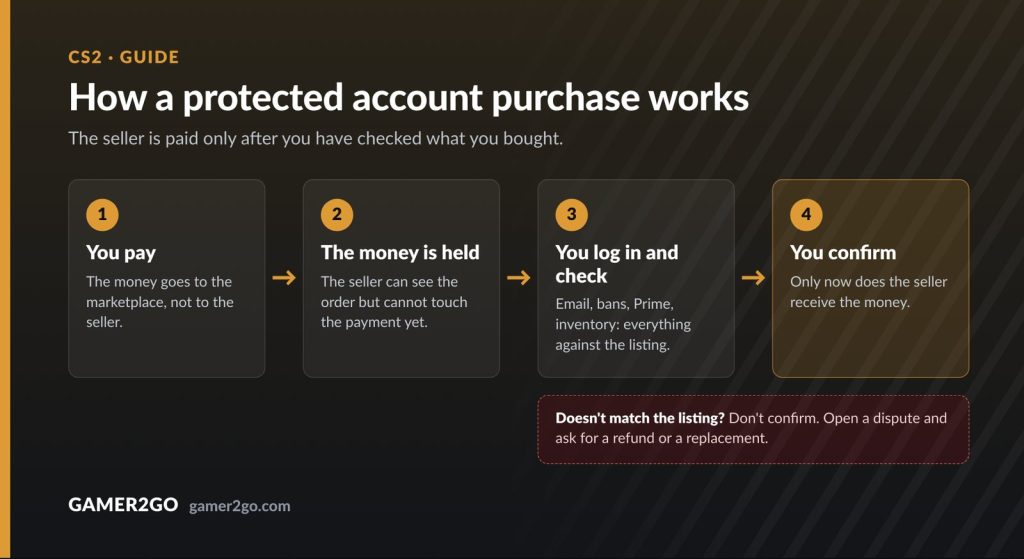
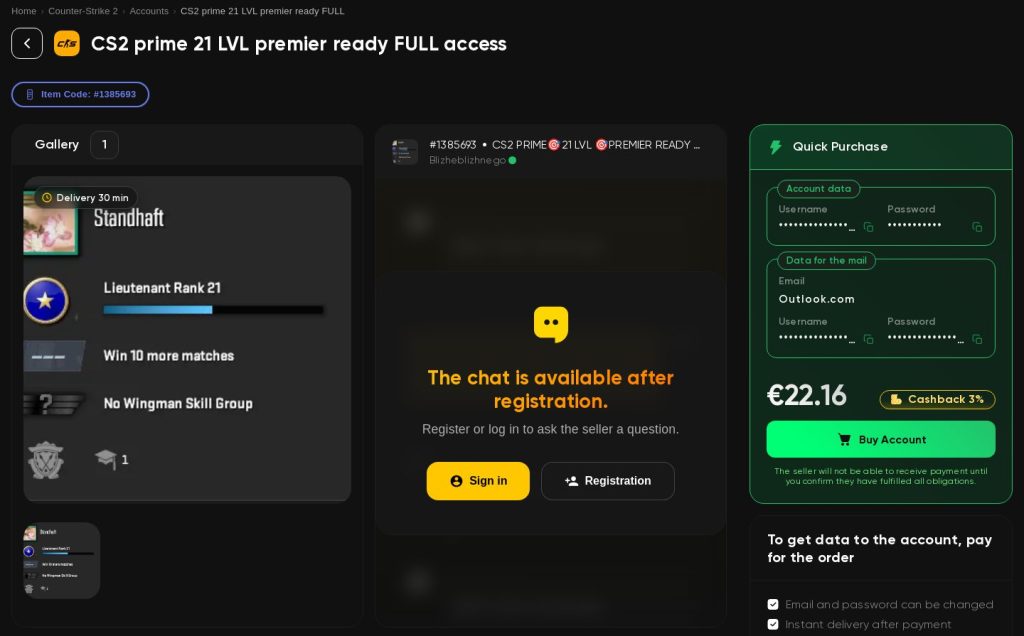
The CS2 accounts marketplace on Goranked works this way. Every listing is moderated, sellers have ratings and buyer reviews, and the catalogue can be filtered by Prime status, service medals, FACEIT level and ELO, CS Rating, inventory and instant delivery. After payment the login appears in your dashboard, or the seller sends it in the order chat. The seller is paid only when you confirm that the account matches its description. If it does not, support steps in with a refund or a replacement. An extended warranty can be added at checkout, but only before the account details are handed over.
The first half hour after you log in
- Change the Steam password, then the email on the account, then the password of the mailbox if it came with the deal.
- Set up the Steam Guard Mobile Authenticator on your own phone.
- Use “Deauthorize all other devices” in the Steam Guard settings so no old session stays open.
- Open steamcommunity.com/dev/apikey and revoke any Web API key you did not create. Scammers use these keys to hijack trade offers.
- Keep the order chat and the receipt. If anything goes wrong later, they are your evidence.
Other games, same questions
The details change, the questions do not. In Dota 2, look at MMR, behavior score and whether the account is calibrated. For EA SPORTS FC and other console games, check which platform the account belongs to, because a PlayStation account will not move to Xbox. Goranked lists Dota 2 and EA SPORTS FC 26 accounts too, and the same rules apply: who controls the email, what you can see before paying, and who holds the money until you confirm.
Buying an account is never free of risk, but most of that risk sits in a handful of checks that take ten minutes. For everything else in Counter-Strike, from patches to the Major, follow our CS2 coverage.
Join the discussion